





MetaForge
Generate CTR-optimised meta tags in seconds — no API required
Primary Output
Title Variations
Description Variations
SEO Analysis
MetaForge — Pure JS · No external API · Privacy-first
MetaForge
SEO-optimised meta tags with proper length, full edit support & HTML export
Calculating...
Analysing your meta tags for SEO quality...
Primary Output
Title Variations
Description Variations
SEO Analysis
HTML Code
MetaForge · Pure JS · No API · Privacy-first
Meta Tags Generator Online — Create SEO Meta Tags Instantly
Setting up a new webpage and not sure which meta tags to add — or how to write them correctly? Our free online meta tags generator creates all the essential SEO meta tags for your page in seconds. Enter your page title, description, keywords, and URL — and the tool instantly generates clean, copy-paste ready HTML code for your title tag, meta description, meta keywords, Open Graph tags for Facebook and LinkedIn, Twitter Card tags, robots tag, and canonical tag. Whether you are a blogger, website owner, developer, or SEO professional — this tool saves you time and eliminates guesswork. No HTML knowledge needed.
No downloads. No signup. No ads. Just fill in your page details and get your complete meta tags HTML code instantly.
How to Use This Meta Tags Generator
Creating your meta tags takes less than two minutes. Here is how it works:
Step 1 — Enter Your Page Title
Type your SEO title tag in the Title field. Keep it under 60 characters. Include your primary keyword near the start. This is the clickable blue headline that appears in Google search results.
Step 2 — Write Your Meta Description
Type a compelling summary of your page in the Description field. Keep it between 140 and 155 characters. Include your target keyword naturally and end with a call to action like “Learn more” or “Try free.”
Step 3 — Add Your Keywords and URL
Enter your target keywords (comma-separated) and your page URL. These are used to generate the meta keywords tag and the canonical URL tag automatically.
Step 4 — Click Generate and Copy
Hit the Generate Meta Tags button. Your complete, ready-to-use HTML meta tag code appears instantly. Click Copy and paste it directly into the <head> section of your webpage.
What meta tags you will get:
- Title tag — the page title shown in Google results
- Meta description — the summary shown below your title
- Meta keywords — for CMS platforms that still use it
- Meta robots — tells Google to index or not index the page
- Canonical tag — prevents duplicate content issues
- Open Graph tags — controls how your page appears on Facebook and LinkedIn
- Twitter Card tags — controls how your page appears when shared on Twitter/X
- Viewport and charset tags — essential for mobile responsiveness
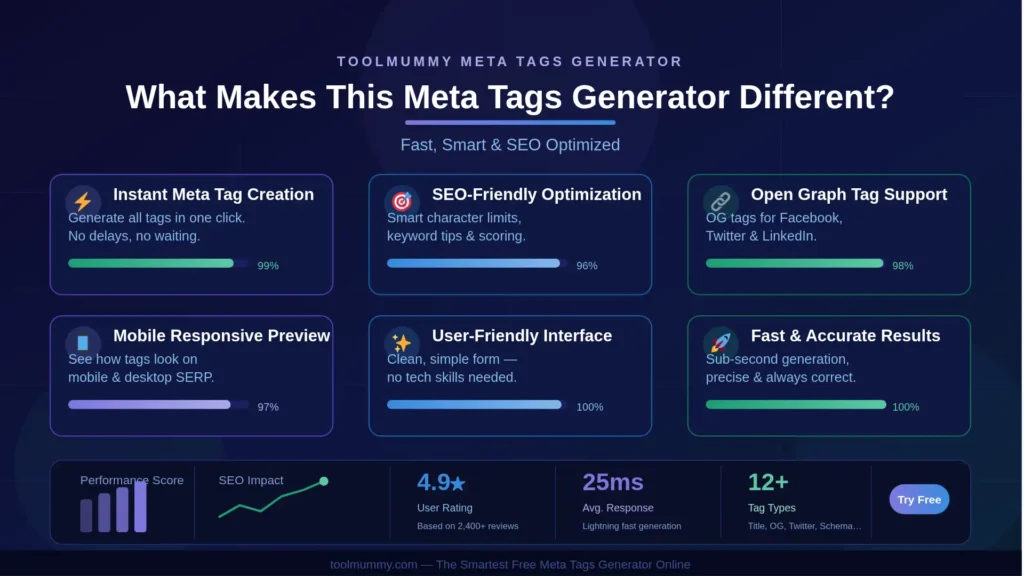
What Makes This Meta Tags Generator Different?
Most meta tag generators only create the basic title and description. Ours generates the complete set of tags used by modern websites — including social media tags that most tools skip entirely.
Generates All Tags in One Go
Instead of generating title and description separately and looking up Open Graph tags elsewhere, our tool generates everything at once — standard SEO tags, Open Graph tags for social media sharing, Twitter Card tags, robots directives, and canonical URLs — all in a single click.
Ready-to-Paste HTML Code
The output is not just text — it is clean, properly formatted HTML code that you paste directly into your webpage’s <head> section. No manual HTML editing required. Just copy and paste.
Live Character Count with Warnings
As you type your title and description, a live character counter shows whether you are within Google’s safe limits. If your title exceeds 60 characters or your description exceeds 155, the counter turns red immediately — so you can fix it before generating.
Open Graph Tags for Social Media
When someone shares your page on Facebook, LinkedIn, or WhatsApp, the Open Graph tags control what image, title, and description appear in the link preview. Without these tags, social platforms guess — often showing the wrong content. Our generator creates these automatically.
Twitter Card Tags Included
Twitter (now X) uses its own set of meta tags to control how shared links look on the platform. Our tool generates Twitter Card tags so your shared links look professional and click-worthy on Twitter as well.
Completely Free — No Signup
No account, no credit card, no hidden charges. Generate meta tags for as many pages as you need — completely free.
Who Uses a Meta Tags Generator?
A meta tags generator is an essential tool for anyone who builds or manages websites — from first-time bloggers to experienced SEO professionals.
Bloggers and Content Writers
Bloggers use a meta tags generator to create optimized title and description tags for every new post they publish. Many WordPress bloggers use Yoast or Rank Math — but even with plugins, knowing what to write requires understanding the format. This tool generates well-structured tags you can simply paste in.
Web Developers
Developers building websites for clients use it to quickly generate the complete <head> meta tag block for new pages — especially when setting up static HTML sites, landing pages, or custom CMS implementations where there is no built-in SEO plugin.
SEO Professionals and Digital Marketers
SEO specialists use the generator when auditing and fixing client websites — quickly creating correct, properly formatted meta tag code to replace missing or poorly written tags. It is faster than writing each tag manually and reduces the chance of syntax errors.
Small Business Owners
Business owners managing their own website on Wix, Squarespace, or a basic WordPress theme often do not have a built-in meta tag manager. This generator lets them create the code themselves without needing to hire a developer.
E-commerce Store Owners
Shopify and WooCommerce sellers use meta tag generators to optimize product page titles and descriptions for better Google visibility. A well-written product meta description can significantly increase click-through rates from Google Shopping and organic search.
Students Learning SEO and Web Development
Students and self-learners building their first website use a meta tags generator to understand the correct format and structure of HTML meta tags before writing them manually. Seeing the generated code is one of the best ways to learn how meta tags work.

Complete Meta Tags Reference — What Each Tag Does
There are many types of meta tags. Here is a complete guide to the most important ones — what each does and whether it affects your SEO:
| Meta Tag | What It Does | SEO Impact | Recommended |
|---|---|---|---|
| Title Tag | The clickable headline shown in Google search results and browser tabs | High — most important on-page SEO element | Every page — required |
| Meta Description | The summary text shown below the title in search results | Indirect — improves CTR which affects rankings | Every page — highly recommended |
| Meta Keywords | List of keywords associated with the page | None — Google ignores it completely | Optional — some CMSs still use it |
| Meta Robots | Tells search engines whether to index the page and follow links | Critical — controls indexation | Use “index, follow” for most pages |
| Canonical Tag | Tells Google which URL is the preferred version of a page | High — prevents duplicate content penalties | Every page — prevents issues |
| Open Graph Tags (og:) | Controls how page appears when shared on Facebook, LinkedIn, WhatsApp | Indirect — improves social sharing CTR | Every page — important for social traffic |
| Twitter Card Tags | Controls how page appears when shared on Twitter/X | Indirect — improves Twitter sharing appearance | Recommended for content-heavy sites |
| Viewport Tag | Makes the page responsive on mobile devices | High — Google penalises non-mobile-friendly pages | Every page — absolutely required |
Key takeaway: The title tag is the single most important meta element for SEO. The meta description does not directly affect rankings but massively impacts click-through rate. The Open Graph and Twitter Card tags do not affect Google rankings but control how professional your page looks when shared on social media — which drives traffic independently of Google.
How Do Meta Tags Work? — Explained Simply
Meta tags are small pieces of HTML code that live in the <head> section of your webpage. Visitors cannot see them on the page itself, but search engines, social media platforms, and browsers read them to understand what your page is about.
Where Do Meta Tags Go in Your HTML?
All meta tags go inside the section of your HTML — before the tag. In WordPress, this is handled automatically by SEO plugins like Yoast SEO or Rank Math. In custom HTML pages, you paste them directly into the head section. Our generator produces the complete, correctly formatted block of code ready to paste.
How Does Google Use the Title Tag?
Your title tag is the most important on-page SEO element. Google uses it to understand what your page is about and displays it as the blue clickable headline in search results. A well-written title tag with your primary keyword near the start improves your chances of ranking for that keyword and gets more clicks from searchers who see it.
Does Google Always Use My Meta Description?
Not always. Google may override your meta description and pull a different snippet from your page content if it thinks another section is more relevant to the search query. Writing a specific, keyword-relevant description that closely matches your page content reduces the chance of this happening. Our generator helps you write within the correct character limits to maximise the chance Google uses your description as written.
What Is the Open Graph Protocol?
Open Graph is a protocol created by Facebook that allows web pages to become rich objects in social media. When someone shares your URL on Facebook, LinkedIn, or WhatsApp, the Open Graph tags tell the platform what image, title, and description to display in the link preview. Without Open Graph tags, the platform guesses — and often gets it wrong, showing a random image or incorrect title. Our generator creates all the necessary Open Graph tags automatically.
Frequently asked questions
Everything you need to know about our free online meta tags generator.
<head> section. No additional modification is needed — just copy and paste.