





Professional Word Counter
Word Counter Online
Need to know exactly how many words you have written — or how many characters, sentences, and paragraphs your content contains? Our free online word counter gives you an instant, real-time breakdown of everything — words, characters (with and without spaces), sentences, paragraphs, and estimated reading time — the moment you start typing or paste your text. Whether you are writing a college essay with a strict word limit, crafting a blog post for SEO, checking your Twitter character count, or proofreading a professional report — this tool gives you accurate numbers instantly. No software to install. No account. No waiting.
No downloads. No signup. No ads. Just paste or type your text and get your complete word and character count instantly.
How to Use This Word Counter
Counting your words takes zero effort. Here is how it works:
Step 1 — Type or Paste Your Text
Either type directly into the text box or paste your existing content. Your word count, character count, and all other statistics update in real time as you type — no button to click. The results appear instantly on screen.
Step 2 — Read Your Statistics
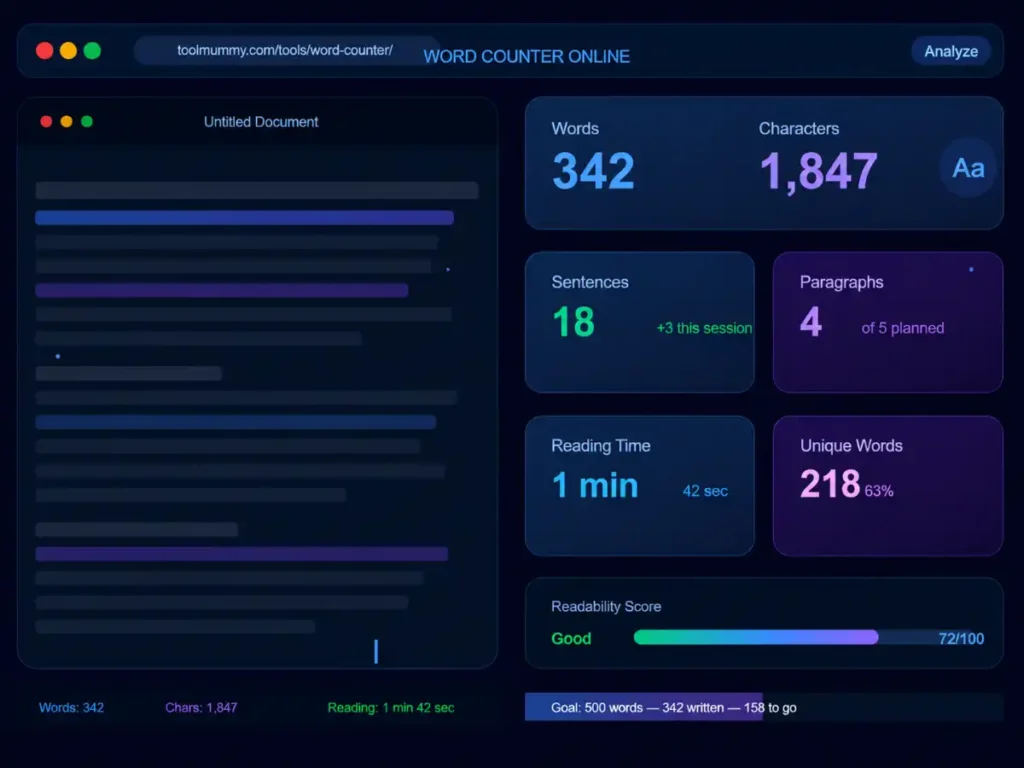
The tool instantly shows your total word count, total character count with spaces, total characters without spaces, number of sentences, number of paragraphs, and estimated reading time. All updated live as you write.
Step 3 — Set a Word Limit (Optional)
If you have a specific word count target — for example, an essay must be exactly 1,500 words, or a meta description must be under 155 characters — enter your target in the limit field. The counter shows how far you are from your goal in real time.
Step 4 — Copy or Clear
Copy your text back to your clipboard with one click, or clear the field to start a fresh count. Your text is never saved or sent anywhere — it stays completely private in your browser.
What the tool counts and shows:
- Total word count — updated live as you type
- Total characters including spaces
- Total characters excluding spaces
- Number of sentences
- Number of paragraphs
- Estimated reading time at average reading speed
- Keyword frequency — most repeated words in your content
What Makes This Word Counter Different?
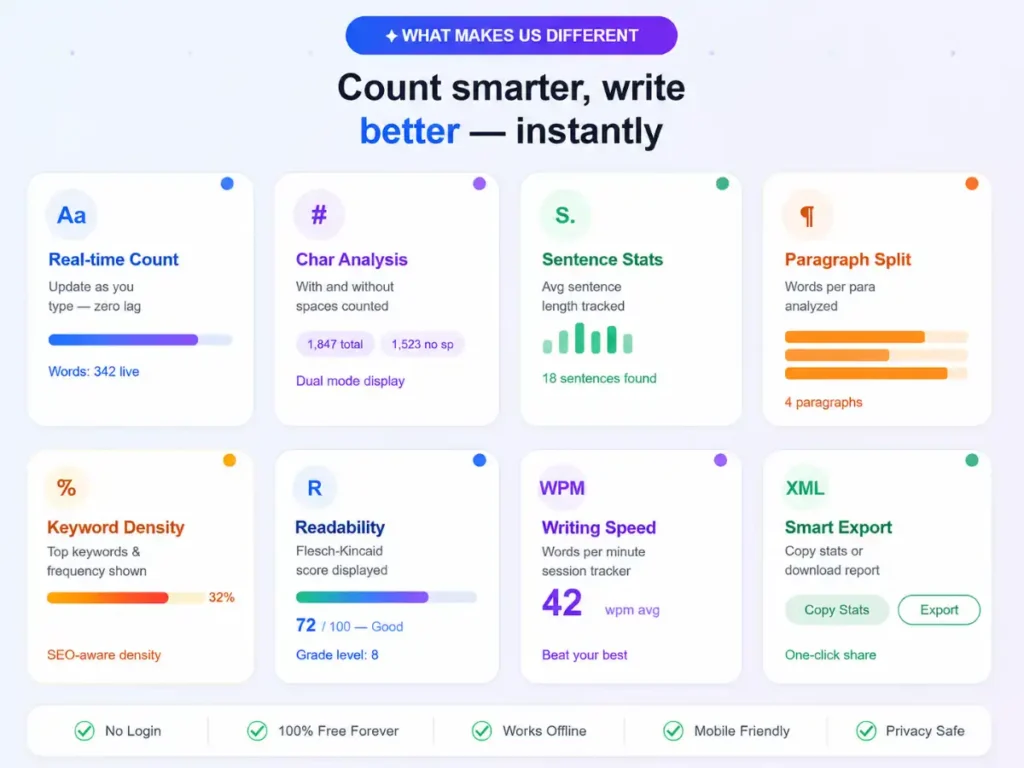
Most word counters just show a number. Ours gives you the complete picture of your content — words, characters, sentences, paragraphs, reading time, and keyword frequency — all in real time.
Real-Time Live Counting
Every statistic updates the moment you type or paste your text — no button to press, no page to reload. Watch your word count climb in real time as you write. This is especially useful when working towards a strict word count target for an assignment or article.
Characters With and Without Spaces
Different platforms have different character counting methods. Twitter counts characters including spaces. Some SMS systems count without. Our tool shows both counts separately — so you always have the right number for whatever platform or requirement you are working with.
Reading Time Estimate
The tool automatically calculates your estimated reading time based on the average adult reading speed of 200 to 250 words per minute. This is valuable for blog writers, content marketers, and course creators who need to match content length to audience attention spans.
Sentence and Paragraph Count
Beyond word and character counts, the tool also counts your sentences and paragraphs. Long paragraphs and run-on sentences reduce readability — especially on mobile screens. Knowing your sentence and paragraph structure helps you write more readable, Google-friendly content.
Keyword Frequency Tracking
The tool shows the most frequently used words in your content — helping you spot accidental keyword repetition, identify what topics your writing is emphasising, and ensure your target keyword appears at the right density without being over-repeated.
Completely Free — No Signup
No account, no credit card, no usage limits. Count words for as many documents as you need — completely free, forever.
Who Uses a Word Counter?
A word counter is one of the most universally useful writing tools on the internet — used by students, writers, professionals, and marketers every single day.
Students and Academic Writers
Students use word counters constantly — for essays with strict minimum word counts, thesis chapters, research papers, and assignment submissions. Universities typically specify exact word count requirements (e.g., “2,000 words ± 10%”) and penalise submissions that fall outside the range. A live word counter ensures you hit the target precisely before submitting.
Bloggers and Content Writers
Blog writers use word counters to check article length against SEO benchmarks — informational blog posts typically perform best between 1,500 and 2,500 words. Content writers also use it to check reading time — a 7-minute read performs differently from a 2-minute read in terms of engagement and bounce rate.
SEO Professionals and Digital Marketers
SEO specialists use word counters to check content length against competing pages — if the top 5 results for a keyword average 2,000 words and your page has 400, you are likely underserving the search intent. They also use character counters to keep meta titles under 60 characters and meta descriptions under 155 characters.
Social Media Managers
Every social media platform has different character limits — Twitter/X allows 280 characters, Instagram captions up to 2,200, LinkedIn posts up to 3,000, and WhatsApp messages up to 65,536 characters. Our character counter helps social media managers craft posts that fit within platform limits before publishing.
Copywriters and Journalists
Professional copywriters working to briefs with specific word counts — a 300-word product description, a 500-word press release, a 100-word ad copy — use word counters to track progress and hit targets without going over or under. Journalists working to column-inch or character limits use it similarly.
Teachers and Exam Setters
Teachers use word counters when writing exam questions, assignment briefs, and marking rubrics — ensuring their instructions are concise and within the word count guidance provided by their institution. They also use it to check student submissions when word processors are not available.
Word Count Guide — Platform Limits and Content Benchmarks
Different content types and platforms have very different word count and character limit requirements. Here is your complete reference guide:
| Content Type | Recommended Word / Character Count | Notes |
|---|---|---|
| SEO Blog Post | 1,500 – 2,500 words | Match or exceed average word count of top 5 ranking pages |
| Product Description | 150 – 400 words | Focus on benefits, features, and relevant keywords |
| Meta Title (SEO) | Under 60 characters | Google truncates titles beyond ~600px width |
| Meta Description (SEO) | 140 – 155 characters | Google shows ~155 chars on desktop, ~120 on mobile |
| Twitter / X Post | Under 280 characters | Posts with images get 24 characters deducted |
| LinkedIn Post | Up to 3,000 characters | Posts over 210 chars get a “see more” cutoff |
| Instagram Caption | Up to 2,200 characters | Only first 125 characters show before “more” |
| University Essay | As specified ± 10% | Most institutions allow 10% over or under the stated word count |
Tip: For SEO content, word count alone is not a ranking factor — content quality and search intent match matter more. However, consistently thin content (under 300 words for informational queries) signals low value to Google. Use our word counter to ensure your content is substantive enough for its purpose.
How Does a Word Counter Work? — Explained Simply
A word counter reads your text and analyses it to produce accurate counts of each element — words, characters, sentences, and paragraphs. Here is what happens behind the scenes:
How Are Words Counted?
The standard method for counting words is to split your text at every space, tab, or line break — and count the resulting segments. Each segment that contains at least one letter or number is counted as a word. Punctuation marks attached to words (like commas, full stops, and hyphens) are not counted as separate words. This matches the word counting method used by Microsoft Word and Google Docs.
How Are Characters Counted?
Characters are counted differently depending on whether spaces are included or excluded. Characters with spaces counts every single keystroke — letters, numbers, punctuation, and spaces. Characters without spaces counts only non-space characters — letters, numbers, and punctuation marks. Both counts are displayed because different platforms and requirements use different counting methods.
How Is Reading Time Calculated?
Reading time is calculated by dividing your total word count by the average adult silent reading speed. Research shows the average adult reads between 200 and 250 words per minute for general content. So a 1,000-word article has an estimated reading time of 4 to 5 minutes. Our tool uses 230 words per minute as the baseline — a widely accepted average for web content. Note that technical, complex, or visual content takes longer to read than simple prose.
How Are Sentences Counted?
Sentences are identified by the presence of sentence-ending punctuation — full stops, question marks, and exclamation marks. Each occurrence of these marks followed by a space or line break is counted as the end of a sentence. The tool handles common edge cases like abbreviations (e.g., Mr., Dr.) and decimal numbers to avoid false sentence counts.
Frequently asked questions
Everything you need to know about our free online word counter.